Explore
Custom software · Mobile apps

Build a mobile experience around the way people use it

For teams taking a product onto phones or tired of two native apps drifting apart. Most products get one React Native codebase: real native controls on iOS and Android, plus types, validation and API logic shared with your React web frontend. Already have a web app that works well on phones? Ionic with Capacitor can take that codebase to the stores. Then we test it the way people use it, on real devices held by real testers: weak connections, large photo uploads, sessions interrupted halfway. We fix what the App Store or Google Play rejects; review timelines are theirs, not ours.

  • 130+People, remote across Poland
  • 44 daysFirst line of code to live, one consumer product
  • 5.0Clutch rating, 11 reviews

This is for you if you have a workflow that belongs on mobile

  • A browser flow is awkward on phones

    The task needs an interface designed for touch and shorter interactions.

  • Your apps and web frontend drift apart

    Every feature ships two or three times, at different times. You want iOS, Android and the web to share types, validation and API logic.

  • The app depends on an existing backend

    Authentication and data exchange need to fit the services you already operate.

  • You sell subscriptions or digital goods in the app

    Payment options depend on the product and the App Store storefront. You want the in-app purchase and external checkout rules mapped before the first rejection.

What you get. A mobile build with a release path

A framework that fits what you already have

React Native for most new products. Ionic with Capacitor when a web app already exists and works on phones. Swift and Kotlin when native apps are already there and worth keeping.

React Native application flows

Agreed mobile journeys in one codebase with real iOS and Android controls, logic and types shared with your React web app, and documented native modules where performance or hardware needs them.

Backend connections

Authentication, retries and uploads that hold on a weak network, plus the offline decisions you agree on: what is stored, what syncs and what wins in a conflict.

Testing on real devices

Unit and end-to-end tests in CI, runs on a device farm, and a manual pass by a tester on real phones before every release: small and large screens, old and new OS versions, permissions, push and offline.

Release preparation

Signed builds, store submission materials prepared with the account owner, and fixes for what review rejects.

Tech stack. One codebase, native where it counts

React Native with Expo for most products. Ionic and Capacitor when a web app already exists. Swift and Kotlin when native apps are already there.

Tech stack

  • React Native
  • Expo
  • TypeScript
  • React
  • Ionic
  • Capacitor
  • Swift
  • Kotlin
  • TanStack Query
  • Zod
  • Jest
  • React Native Testing Library
  • Detox
  • Maestro
  • Appium
  • BrowserStack
  • EAS Build
  • Fastlane
  • TestFlight
  • App Store Connect
  • Google Play Console
  • Firebase
  • OneSignal
  • Sentry

How we work

Automate the tests, then put the phone in a person's hand

We review how the task changes when someone uses it on a phone: interruptions, weak signal, a camera instead of a file picker. We pick the framework based on what you already have, and we plan testing from day one, because on mobile it takes more time than most teams expect.

The team's main focus was quality, which is crucial in blockchain projects.

Krzysztof CywińskiCTO, Another1 (via Clutch)
  1. Define the mobile journey

    Map where the app will be used and what a person needs to finish in one session. Agree the first journey, supported devices and platform-specific behavior before estimating. Record interrupted connections and permission requests as acceptance cases.

  2. Check platform dependencies

    Device features, API gaps, in-app purchase rules, what differs between iOS and Android, and what can be shared with your web frontend. This is where React Native, Ionic with Capacitor or native gets decided.

  3. Automate the tests

    Unit tests for shared logic, end-to-end flows with Detox or Maestro, and device farm runs across screen sizes and OS versions on every build.

  4. Test by hand on real devices

    A tester walks the agreed flows on real phones: small screens, notches, old OS versions, denied permissions, push, offline and a connection that drops mid-upload. Automation won't tell you a button is hard to reach with a thumb.

  5. Prepare distribution

    Builds and submission materials completed with the account owner, in your developer accounts, and fixes for what review rejects.
Proof, not promises

Featured
EdTech · Platform
WSB Merito · Poland

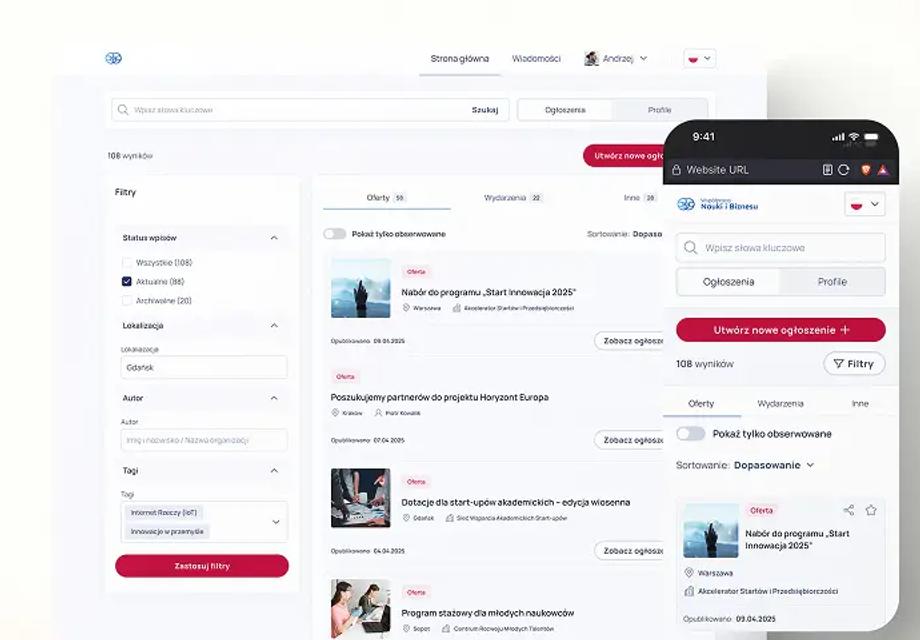
A WCAG-compliant social platform designed for 10,000+ users

10,000+ users planned
Read
EdTech · AI
Elite Medical Prep · USA

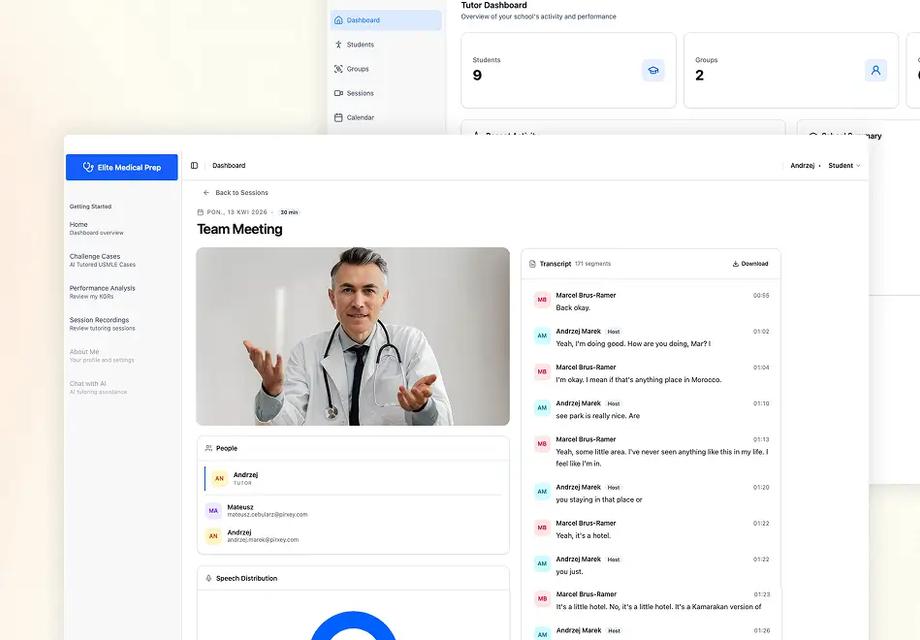
AI-powered medical tutoring for Elite Medical Prep

2 mo broken codebase to deployed
Read

Questions about building and testing mobile apps

  • No. We work in your repository, your cloud and the tools your team already uses. If one of them gets in the way of the work, we tell you what and why, and you decide.
  • With a 30-minute scoping call. We look at what you have and what you need, then propose a first step with its scope and price before any work starts.
  • Not all of it. With React Native, iOS and Android share most application code, and a React web frontend can share types, validation, API clients and often design tokens. Screens and platform integrations like payments, camera or background tasks still need their own work and their own tests.
  • For most new products, React Native. It renders real native controls, so lists, inputs and gestures behave the way iOS and Android users expect, and it's the most mature cross-platform option with the largest ecosystem. Ionic with Capacitor makes sense when you already have a web app that works well on phones and want it in the stores with push, camera and other device features. If you already run native Swift and Kotlin apps that work, we keep them and build on them.
  • Because phones vary far more than browsers. Unit and end-to-end tests (Detox, Maestro, Appium) and device farm runs catch regressions on every build. They don't catch a keyboard covering the submit button on a small screen, a notch hiding a header, a permission prompt at the wrong moment or a push notification that opens the wrong screen. Before each release, a tester goes through the agreed flows on real devices. Plan for it: on mobile, testing takes a bigger share of the work than on the web.
  • Usually. We check the API against mobile authentication and data needs, and any missing behavior is named before the mobile scope is final.
  • No. Offline needs explicit decisions about storage, sync and conflicts. We scope it around the tasks users must finish without a connection.
  • No. We prepare the app and the backend for review and fix what the stores reject, but review timelines and the decision are Apple's and Google's. We don't sell store approval as a service.
  • It depends on the product and the App Store storefront. We check the current in-app purchase and external checkout rules for your target markets, and what each option does to your margin, before implementation.
  • You do. App Store and Google Play accounts, signing keys and code stay in your name; we work with access you grant and can revoke.
  • Not those two. WSB Merito and the construction platform are web products, shown for application workflows and interface delivery. On mobile, we built React and React Native apps for Another1, where physical items unlock digital rewards. Their CTO's review on Clutch credits our extensive testing; quality mattered because a bug could cost users their funds.

How we think about this, in our own words

Interactive briefs and articles by our team, picked for this service

PirxeyOS: 20 days to build, 30 weeks to keep alive

What real devices and screens did to our own product after launch: 35 of the fixes in a 587-commit log.

Read the brief

The new Pareto: 95/5

Why a convincing first build is the small part, and edge cases, permissions and failures are the rest.

Read the brief

Build an MVP that works: Key steps to launch fast without burning cash

How to scope a first version, test it with real users and launch small before funding the full app.

Read the article

Plan the task your app will put on a phone

Additional details (optional)

We reply within one business day.

Pirxey will process your data to answer your inquiry. Details in our Privacy Policy.